Nudges
The Nudges module provides intelligent, system-generated notifications that highlight important updates, insights, and required actions. It helps users stay informed, prioritize tasks, and take timely action without manual monitoring.
Accessing Nudges
- Navigate to Nudges from the left navigation panel.
- The system displays a list of nudges based on user role and access.
note
Nudges are dynamic and generated in real time based on system activity and user permissions.
Key Features
- Real-time, role-based alerts and insights
- Highlights critical activities and exceptions
- Provides proactive recommendations
- Reduces manual tracking and follow-ups
Types of Nudges
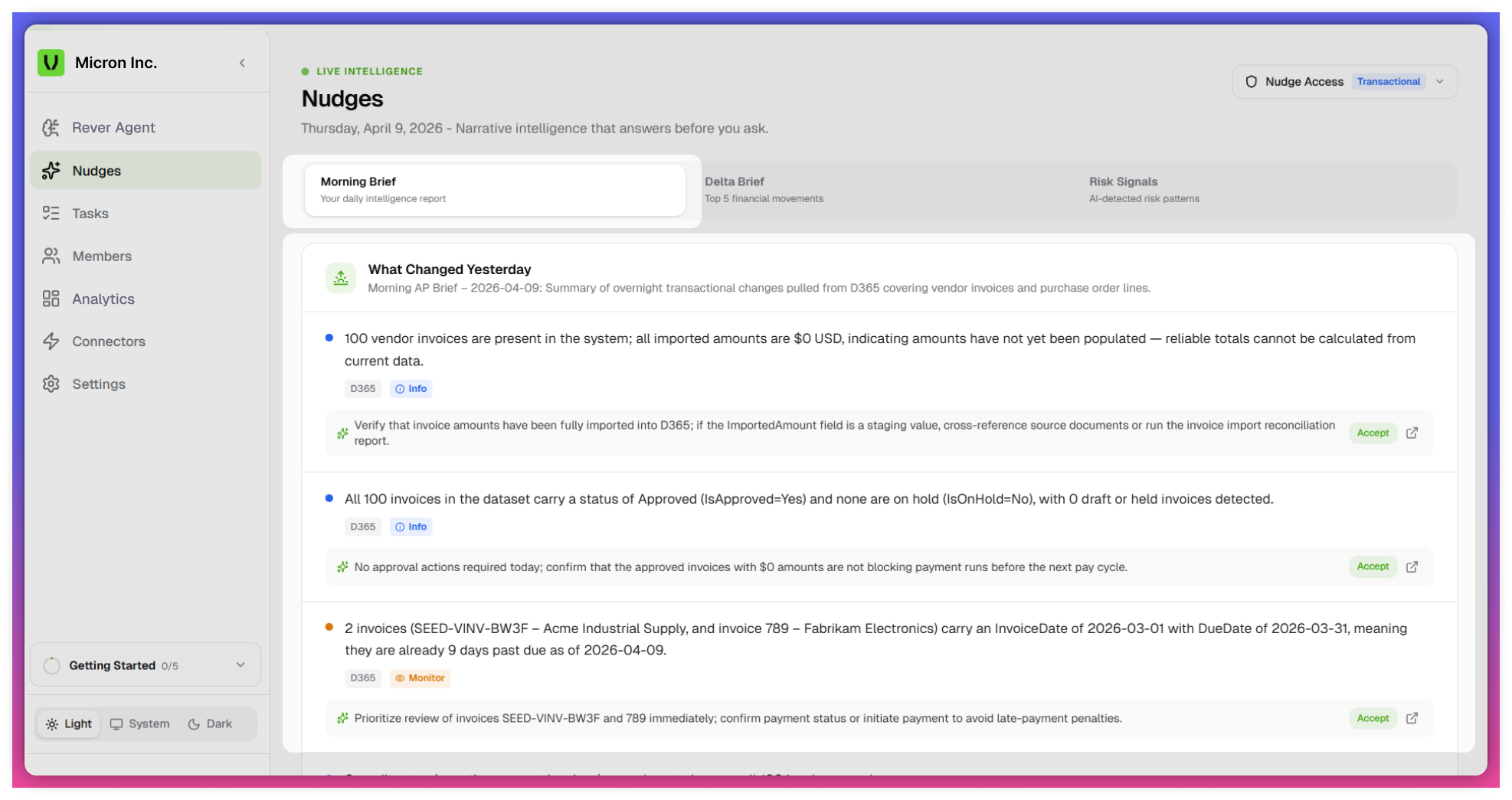
Morning Brief
- Provides a summary of key updates at the start of the day
- Highlights:
- Important tasks
- Pending actions
- Critical insights
- Helps users plan and prioritize daily activities
tip
Use Morning Brief for daily planning
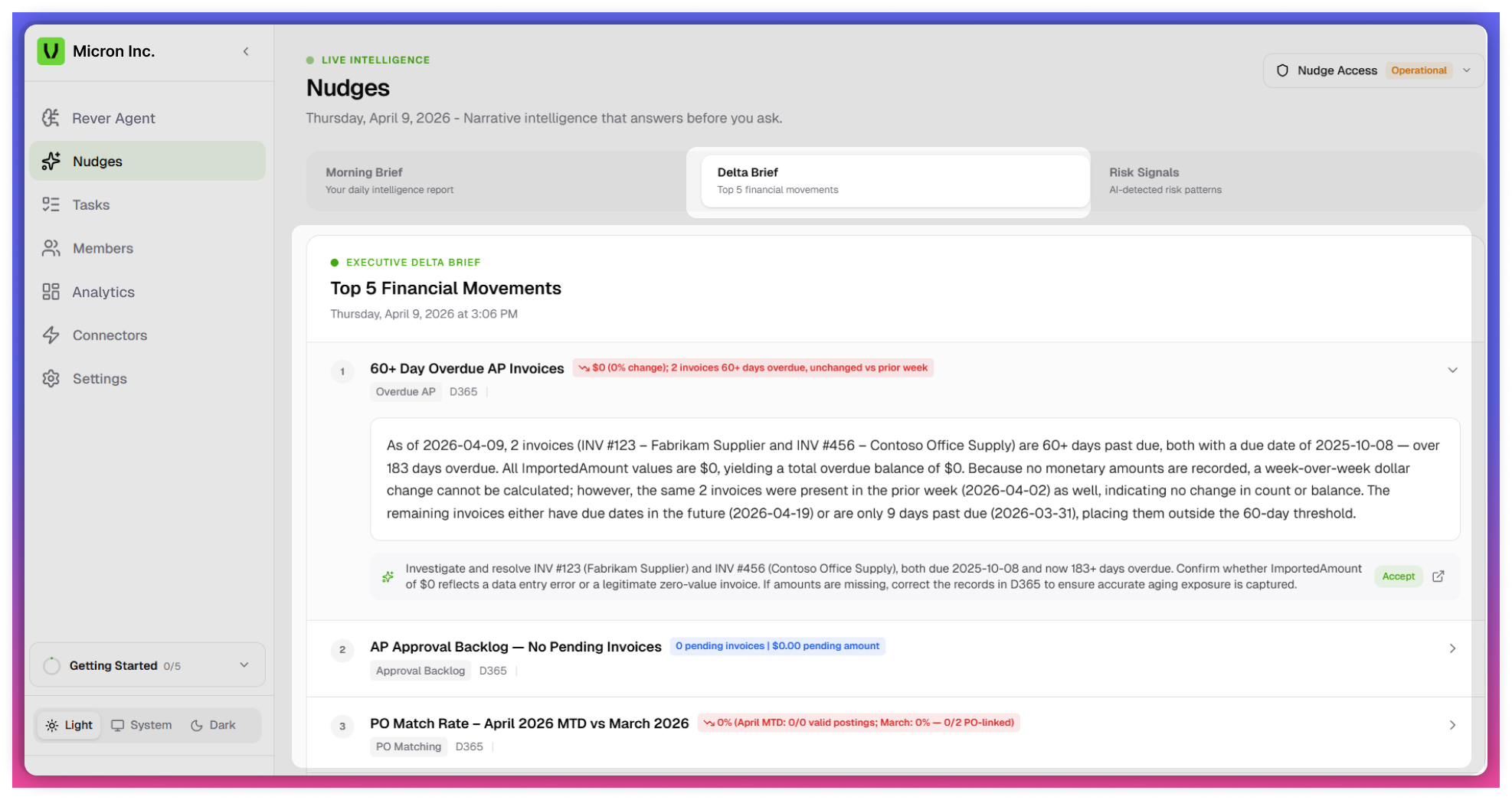
Delta Brief
- Captures changes or deviations over time
- Highlights differences from previous data states
- Helps identify:
- Trends
- Movements
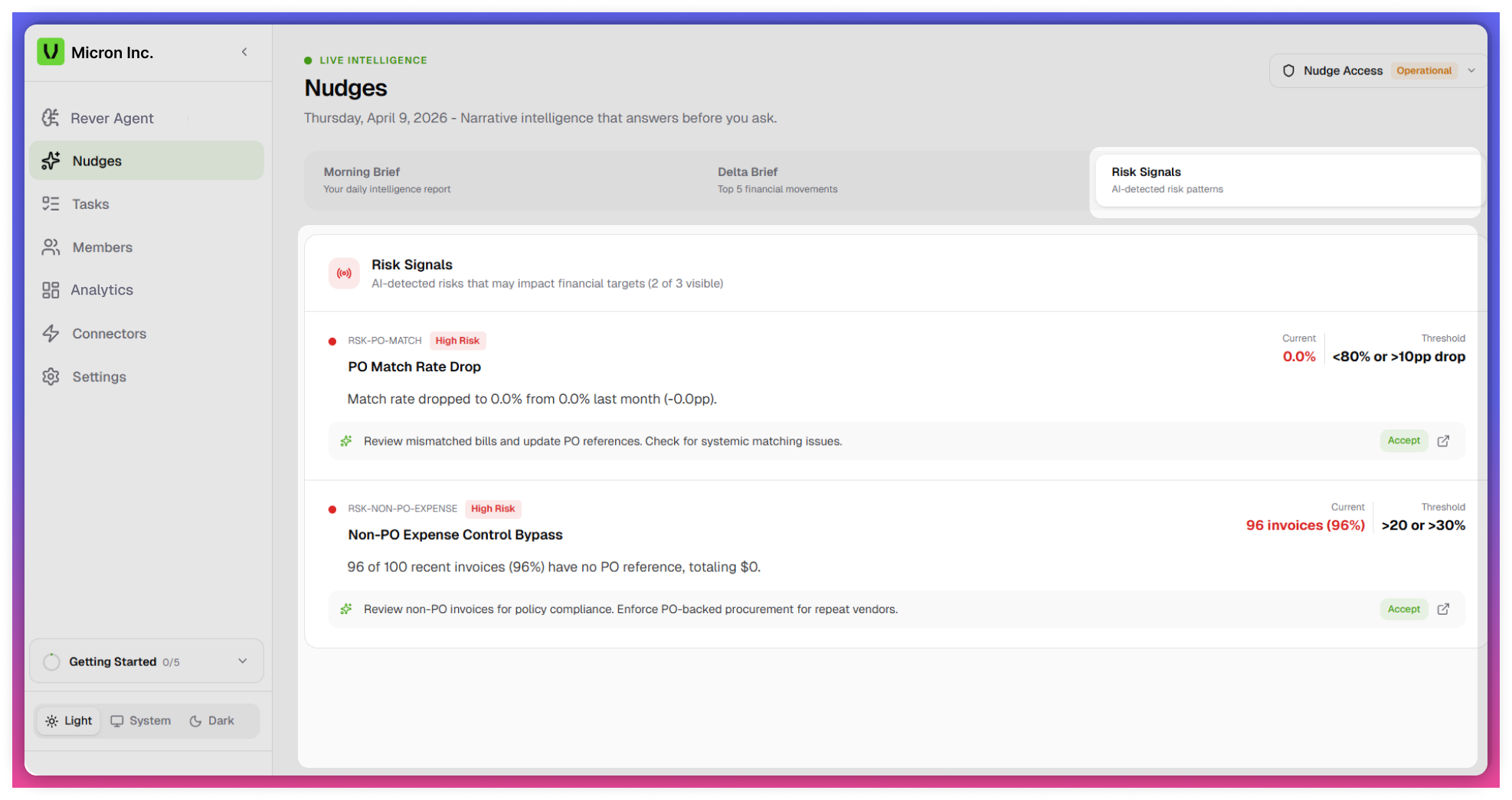
Risk Signals
- Identifies potential risks or critical issues
- Highlights high-priority items requiring immediate attention
- Supports proactive risk mitigation and faster decision-making
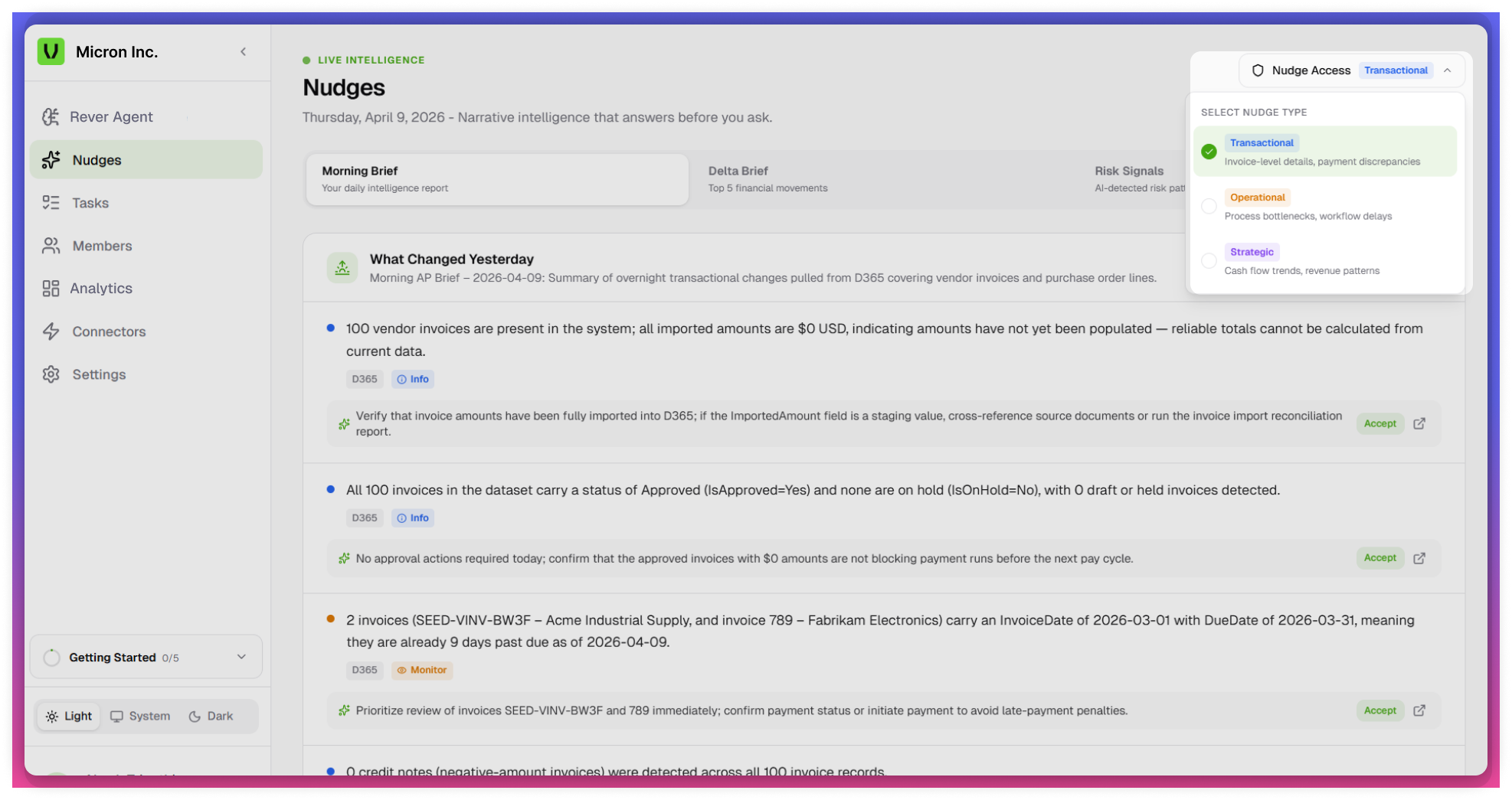
Nudge Access Categories
Nudges are categorized based on business context and user access:
- Transactional - Transaction-level updates and activities.
- Operations - Workflow and process-related insights
- Strategic - High-level insights for planning and decision-making
tip
Visibility of nudges depends on user roles and permissions.
Create Task from Nudges
Allows users to convert insights into actionable tasks directly from nudges.
tip
Convert important nudges into tasks to ensure follow-up
Steps
- Click on the Accept icon associated with a nudge
- A task is automatically created
Auto-Populated Field
- Title - Generated from the nudge (editable)
User Input Required
- Description
- Assignee
- Priority (High / Medium / Low)
tip
Modify the auto-generated title for better clarity if needed.
note
- Nudges are system-generated and real-time
- Data depends on: Connected systems, User activity, Role-based access
- Not all nudges are visible to all users